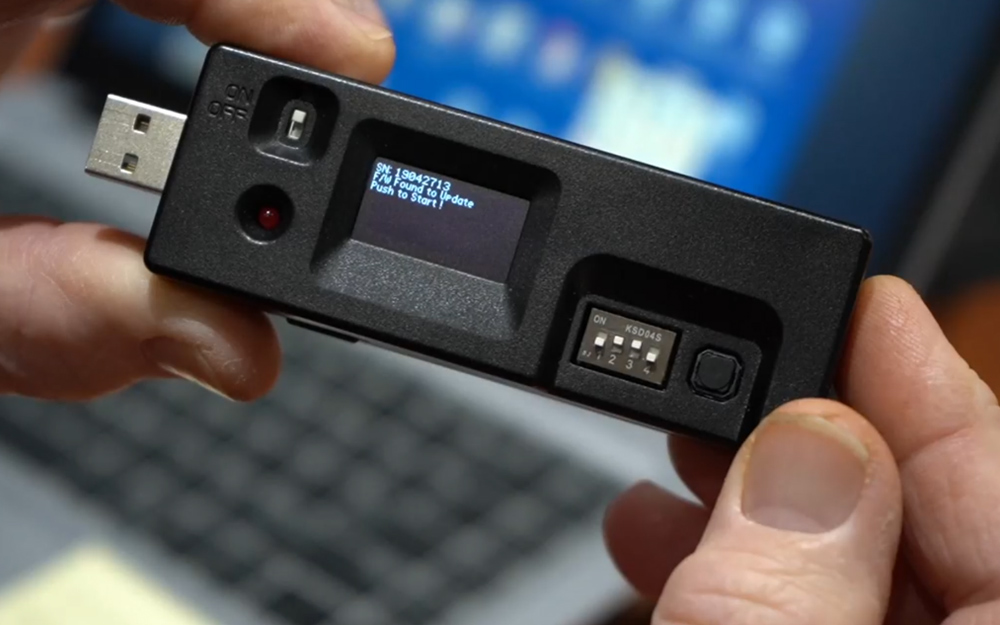
Step 1: Plug Jig into USB Port on a Windows Computer. Step 2: Power the Jig on and the display on the jig should read “Mass Storage”. Step 3: Open the folder on the jig and all the current Software Files will be shown. Step 4: Delete ALL files currently on the Jig. Step 5: Open the Zip Folder that you just downloaded with the newest Software Files. Step 6: Copy ALL files and Paste them onto the Jig. Step 7: Power the jig OFF and unplug from the Computer. Step 8: Power the Jig back ON and the screen should display a message about new Software being loaded. Step 9: Press the Black Button 1 time and the files will be officially loaded into the jig. (Once complete the newest SW Version will be displayed)